
Match a CIJ encoder cable assembly by the complete installed assembly—not connector shape alone. Before ordering, compare the equipment revision, installed reference, both cable ends, pin count and keying, wiring, cable length, routing and included hardware.
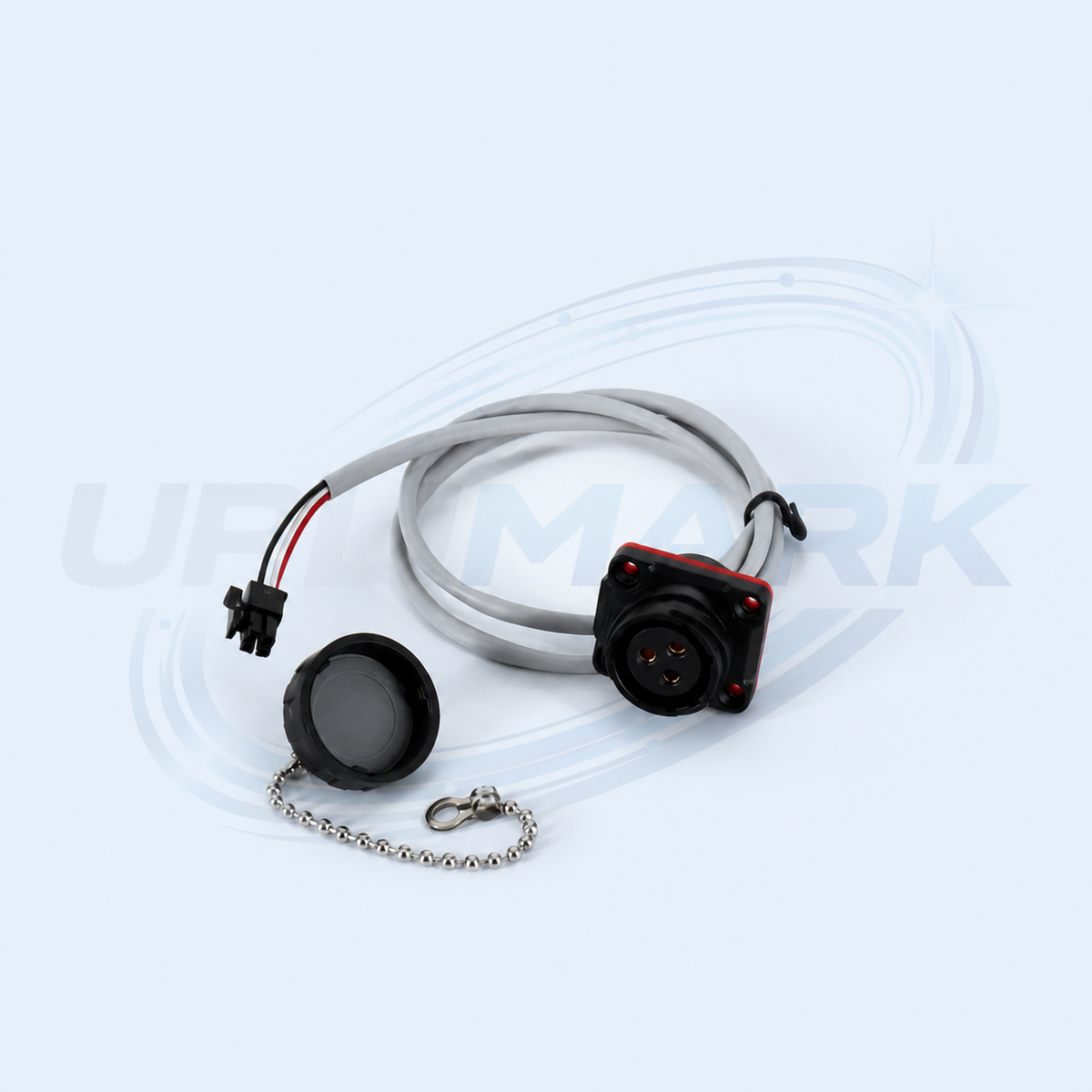
What an encoder cable assembly does
In a continuous inkjet coding line, an encoder signal may relate print timing to product movement. The cable assembly carries that signal between the relevant encoder or interface connection and the equipment. A cable that looks similar can still differ in pin assignment, connector keying, length, cable exit direction or termination.
This is a procurement and evidence-gathering guide, not a diagnosis procedure. Follow the applicable equipment documentation and qualified service process before disconnecting electrical connections or changing components.
Record the installed assembly before ordering
- Equipment details: Record the printer model, serial number and installed configuration.
- Full reference: Photograph the complete installed part label, including suffixes and revision marks.
- Both connector ends: Photograph connector faces, pin count, keying, latch, strain relief, cap or chain, and cable-entry orientation.
- Route and length: Record the approximate cable route, measured length and fixing points.
- Mating context: Photograph the connected ports and surrounding mounting arrangement without dismantling the assembly.
Why a visual connector match is insufficient
| Check | Reason to compare it |
|---|---|
| Pin count and keying | Similar connector shells can use different pin locations or mechanical orientation. |
| Wiring and pin assignment | Appearance does not establish that the signal arrangement is the same. |
| Length and exit direction | An unsuitable route can create strain, interference or insufficient reach. |
| Supply scope | Latches, caps, chains and strain relief can be part of the required assembly. |
| Equipment revision | Assemblies that look alike are not necessarily documented as interchangeable. |
Do not diagnose the cable from one observed symptom
Intermittent code position, a loose connector, visible wear or an equipment message can be useful observations, but none by itself proves that the cable is the failed part. Use the equipment-specific diagnostic process to assess the related encoder, mating port, cable route and installation condition before deciding on replacement.
Do not force connectors, bypass interlocks or disconnect live electrical connections to compare components. Use the applicable isolation and service procedure.
Information to include in a compatibility request
- Printer model, serial number and relevant configuration
- Complete installed reference and clear cable photos
- Photos of both connector faces and mating ports
- Approximate cable length, routing and required quantity
- Delivery country and requested date
The compatibility and ordering guide explains how to prepare part and connector photos for review.
Frequently asked questions
Can I identify an encoder cable from its connector alone?
No. Connector appearance alone does not confirm pin assignment, length, termination, equipment revision or application.
Does intermittent code position prove the cable needs replacement?
No. It is an observed condition that requires the equipment-specific diagnostic procedure.
What if the installed assembly has a cap, chain or strain relief?
Confirm the complete supplied scope before ordering. Those details should be compared with the offered assembly and the installed part.
Request an encoder-cable match
Contact CIJ Printer Parts with the information above, or email support@uplimark.com. Request confirmation of fitment, included items, availability and lead time before ordering.
General engineering guidance only. Diagnosis, installation and acceptance must follow the applicable equipment documentation and qualified service process.