
A CIJ pressure alarm does not, by itself, prove that the pressure sensor has failed. Before ordering a replacement, record the exact alarm behavior, installed part reference, connector and mounting arrangement, and any recent changes to the fluid system. A compatible replacement must match the documented equipment application and installed assembly, not simply resemble the old component.
A pressure transducer converts a process-pressure condition into a signal used by the printer control system. An alarm can be associated with a sensor, its connector or cable, an installation issue, a fluid-path restriction, air ingress, or another condition identified by the equipment's own diagnostic procedure. This article is a procurement and evidence-gathering guide; it does not replace the applicable machine manual or a qualified technician's diagnosis.
Start with the alarm pattern, not the replacement part
Note when the alarm occurs: at startup, during production, after a fluid change, after cleaning, or intermittently. Record whether the message clears after the prescribed restart procedure and whether other messages appear at the same time. This context helps distinguish an observed alarm from a confirmed component failure.
Do not bypass interlocks, force fittings, open pressurized fluid paths, or disconnect live electrical connections to obtain a quick result. Follow the machine-specific isolation, service and safety procedure.
Capture the installed assembly before removing it
- Full reference: Photograph the complete installed part label, including suffixes and revision marks.
- Equipment identity: Record the printer model, serial number and relevant configuration.
- Connector: Photograph the connector face, keying, latch, cable entry and strain relief without dismantling it.
- Mounting and ports: Show the installed position, bracket or fasteners, process connection and surrounding clearance.
- Supply scope: Record whether the installed component includes a cable, connector, seals, screws or other hardware.
Check the operating condition before assuming the sensor is defective
Use the machine documentation and qualified service process to review fluid level, visible leaks, tubing condition, filters, fittings, recent maintenance and approved fault history. These checks assess the system condition; they do not establish a diagnosis from appearance alone.
| What to record | Why it matters for a replacement request |
|---|---|
| Exact alarm text and timing | Helps distinguish an observed condition from a confirmed part failure. |
| Installed reference and suffix | Distinguishes revisions that may look similar but are not documented as interchangeable. |
| Connector and cable photos | Supports a comparison of keying, latch, cable exit and harness arrangement. |
| Mounting and connection photos | Shows physical orientation, fittings, clearance and supplied hardware. |
Match the supply scope as well as the sensor
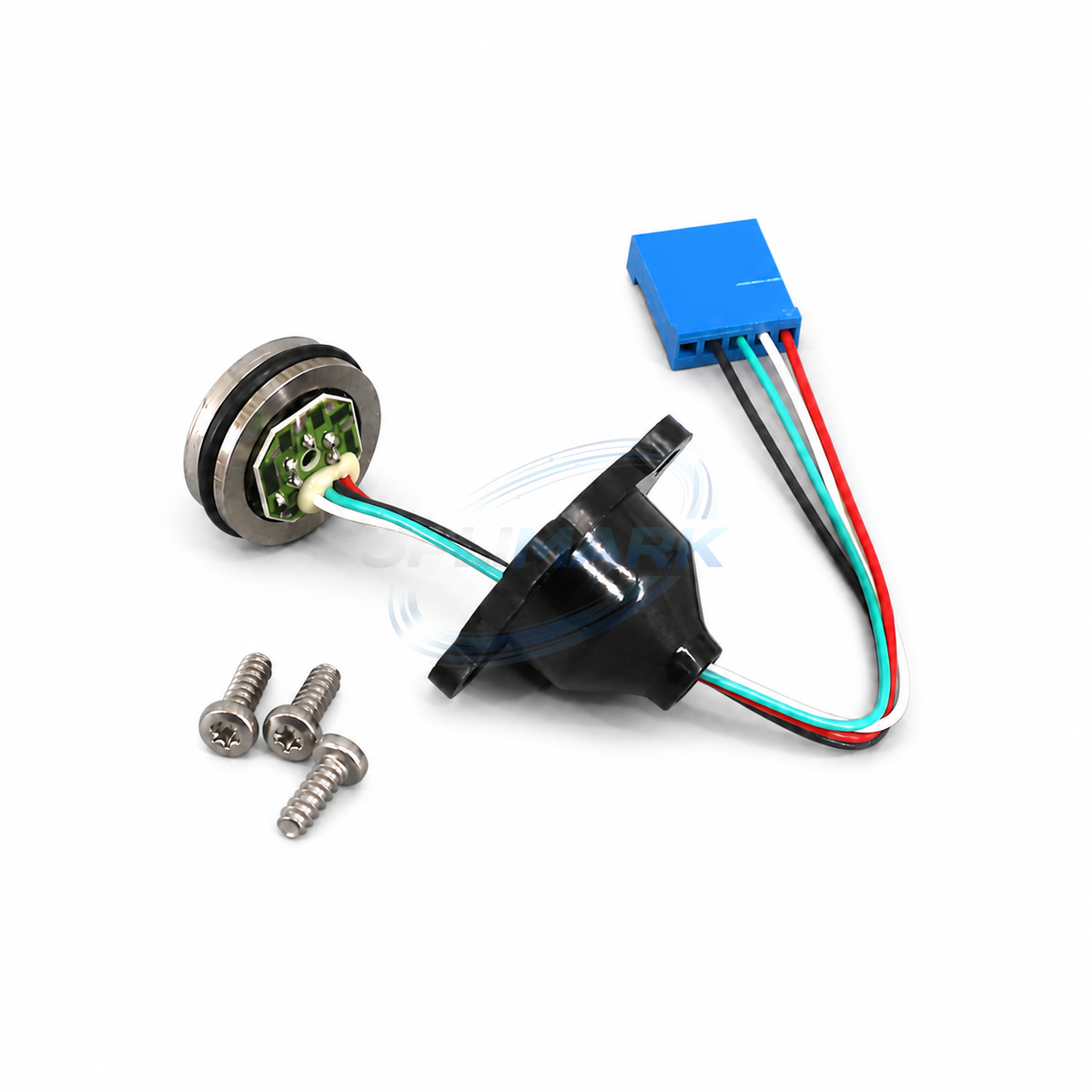
The catalog's UVJ-X0290 pressure transducer kit is shown with one round pressure sensor, one wired connector assembly and three mounting screws. That image and listing identify the offered kit; they do not prove it is suitable for every CIJ installation. Compare the complete requested supply scope against the installed assembly and obtain compatibility confirmation before ordering.
What to send for a compatibility check
Send the printer model, complete installed reference, clear photos of the component and connector, the alarm history, required quantity and delivery country. The compatibility and ordering guide explains how to prepare a useful request.
Frequently asked questions
Can I choose a pressure sensor by connector shape?
No. Connector appearance alone does not demonstrate matching electrical behavior, mounting, process connection or equipment application.
Does a pressure alarm mean the sensor must be replaced?
No. It is an observed alarm condition. The equipment-specific diagnostic procedure and surrounding fluid-system condition must be reviewed before a replacement decision.
Should I order a bare sensor if the old part has a cable and screws?
Confirm the supplied scope first. Compare the required cable, connector, mounting hardware and seals with the offered listing and installed assembly.
Request a pressure-sensor match
Contact CIJ Printer Parts with the information above, or email support@uplimark.com. Confirm fitment, included items, availability and lead time in the quotation before ordering.
General engineering guidance only. Installation, diagnosis and acceptance must follow the applicable equipment documentation and qualified service process.